

Ask about your retirement plan, and get answers from your own numbers
Start PlanningSome questions are easier to ask than to click your way to. The Ready Aim Retire Assistant, now in beta, is one click away in your plan. Ask it about the app, about retirement in general, or about your own plan, and it answers in plain English.
It reads the plan on your screen: your accounts, your income, Social Security, your Chance of Success and the rest. So when you ask why your money runs short, or what waiting until 70 would do, the answer starts from your numbers, not someone else's example.
A switch at the top of the assistant sets what it reads and what it may do. It stays on screen, so you always know which one you are in.
Switching starts a new conversation, so nothing about your plan follows you into General questions. Earlier conversations are kept for each mode, ready to pick up again.
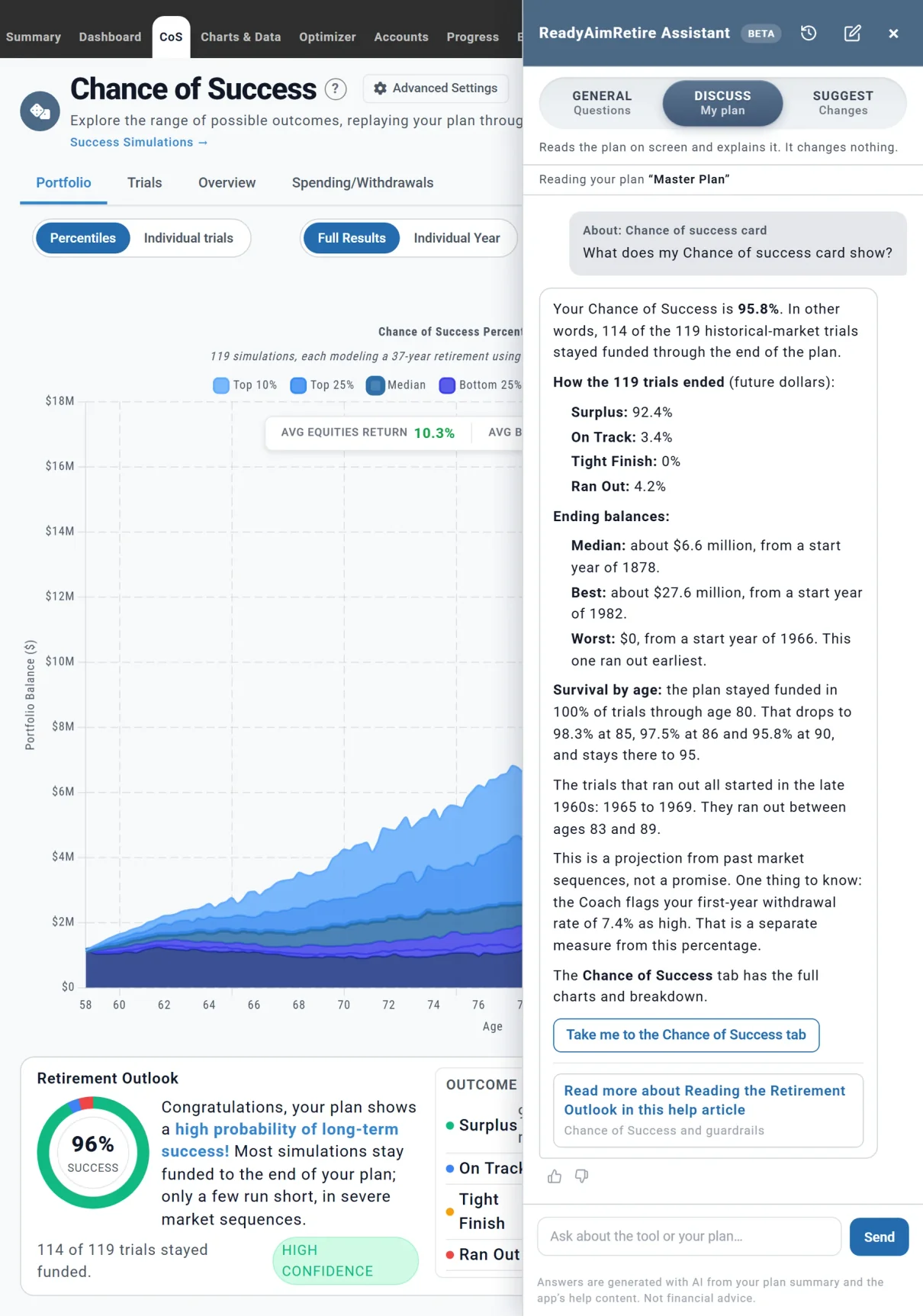
Discuss my plan, answering a question about Chris and Jamie's Chance of Success card.
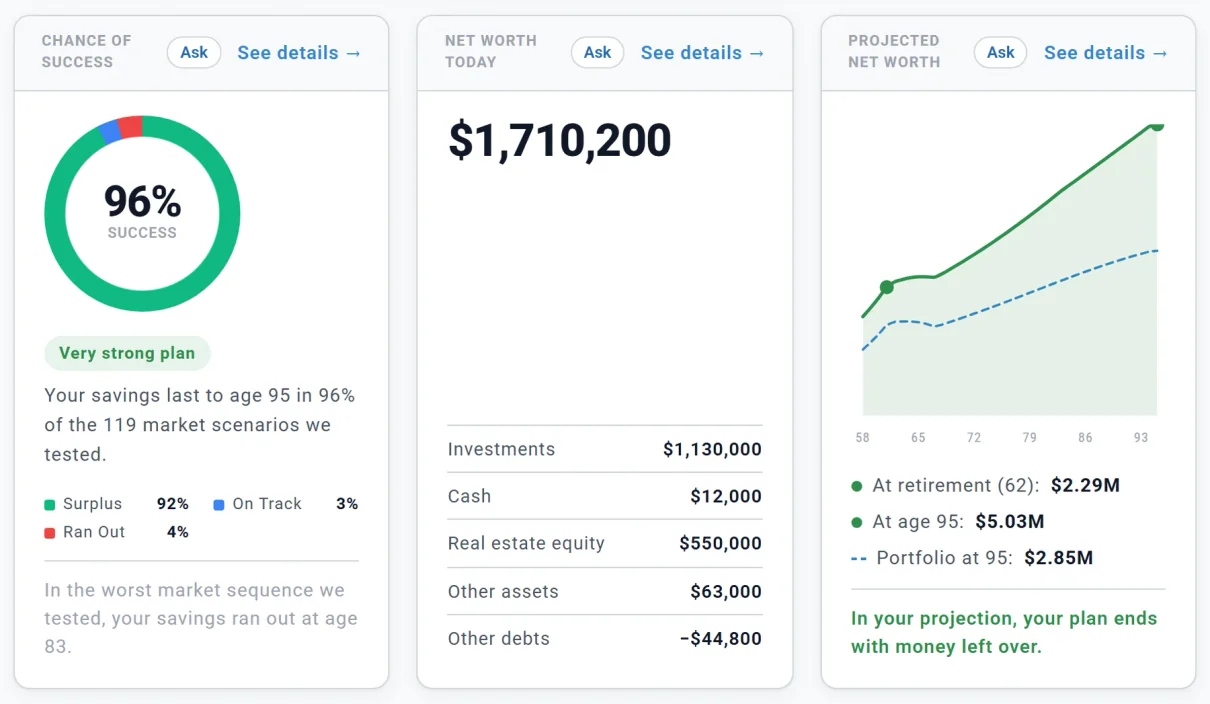
An Ask button on each Summary card starts a question about that card.
The assistant is built to quote the planner's own results rather than work figures out for itself. Your plan's numbers come from the same run as your Dashboard and Summary, and how-to answers come from our help pages.
Every answer is written by AI, so check anything that matters. A thumbs down lets you tell our support team what went wrong.
Ask for a what-if, such as retiring a year later or claiming Social Security at 70. In Suggest changes, the assistant prepares it as a review card: each setting with its value now and the new one.
It changes your plan's settings only: nothing is bought, sold or moved, and Undo puts them back. You turn Suggest changes on once, and it prepares only the changes you ask for or agree to. Applying them is part of Planner+.
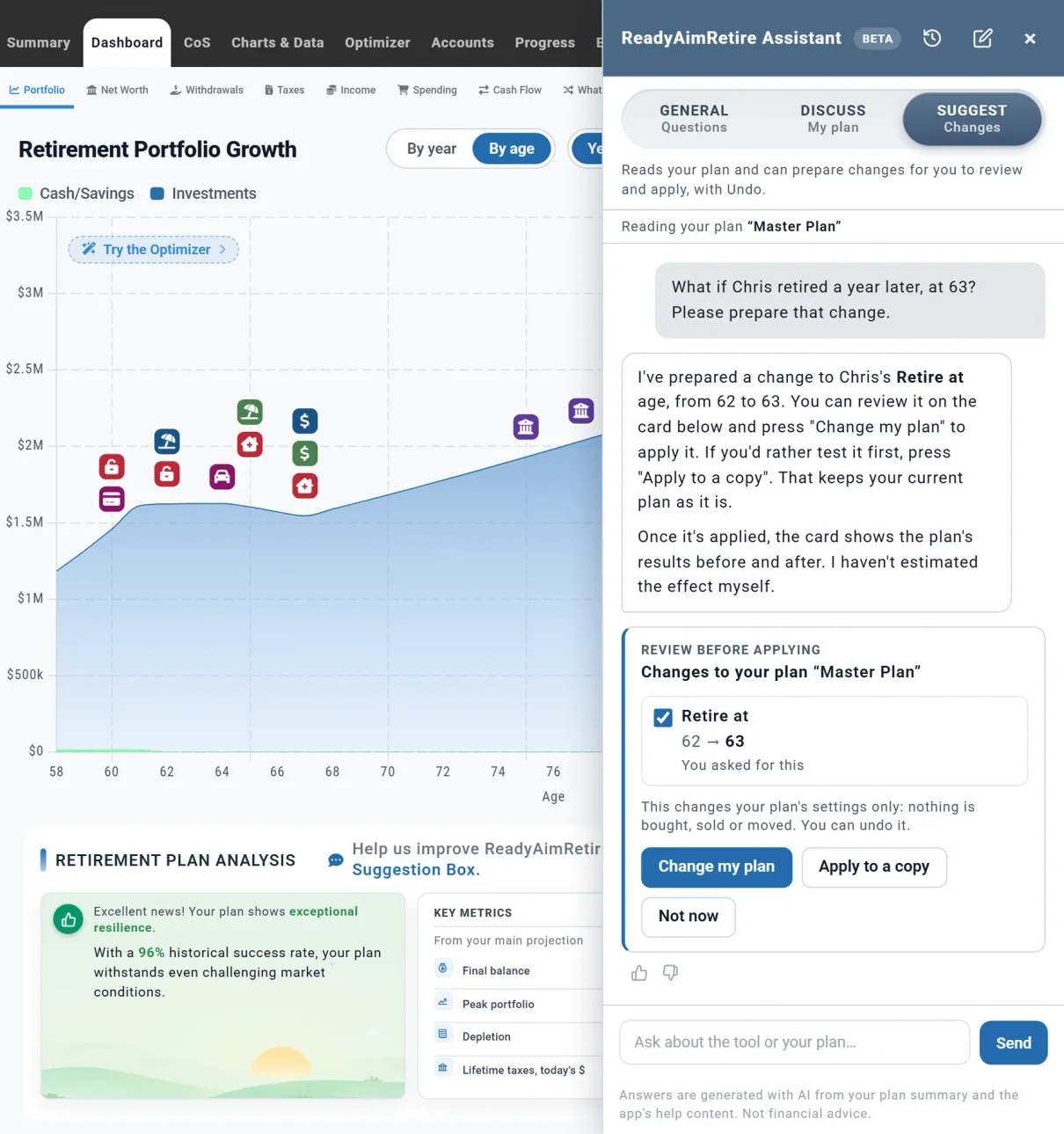
A change prepared for review. Nothing happens until Chris and Jamie choose.
The assistant explains your plan and shows what an option you ask about would do to it. It never names funds, insurers or other financial products, and it never tells you what to buy.
It lays out options and their trade-offs. The decision stays yours.
Before your first question, the assistant tells you what it sends. Your messages and a summary of your plan go to Anthropic, the AI company that powers it, and your data is not used to train AI models.
In General questions, nothing about your plan is sent. Conversations are saved so we can improve the assistant.
Open the assistant from any tab of your plan. It always reads the plan you are working on, a saved plan included, and it tells you when your plan is still calculating rather than guess.
Answers are generated with AI from your plan and the app's help content, and they can be wrong. Ready Aim Retire is an educational tool, not financial, tax or investment advice.
Your plan in plain English, and what is worth a look next.
Your plan replayed through real market history since 1871.
Every year of your plan, and the milestones that shape it.
See your financial progress clearly and over time.
Searches withdrawal orders and Roth conversions for a better strategy.
Pay for retirement in the order that keeps more of your money.